ConjureWidth
Wider stereo that holds up in mono
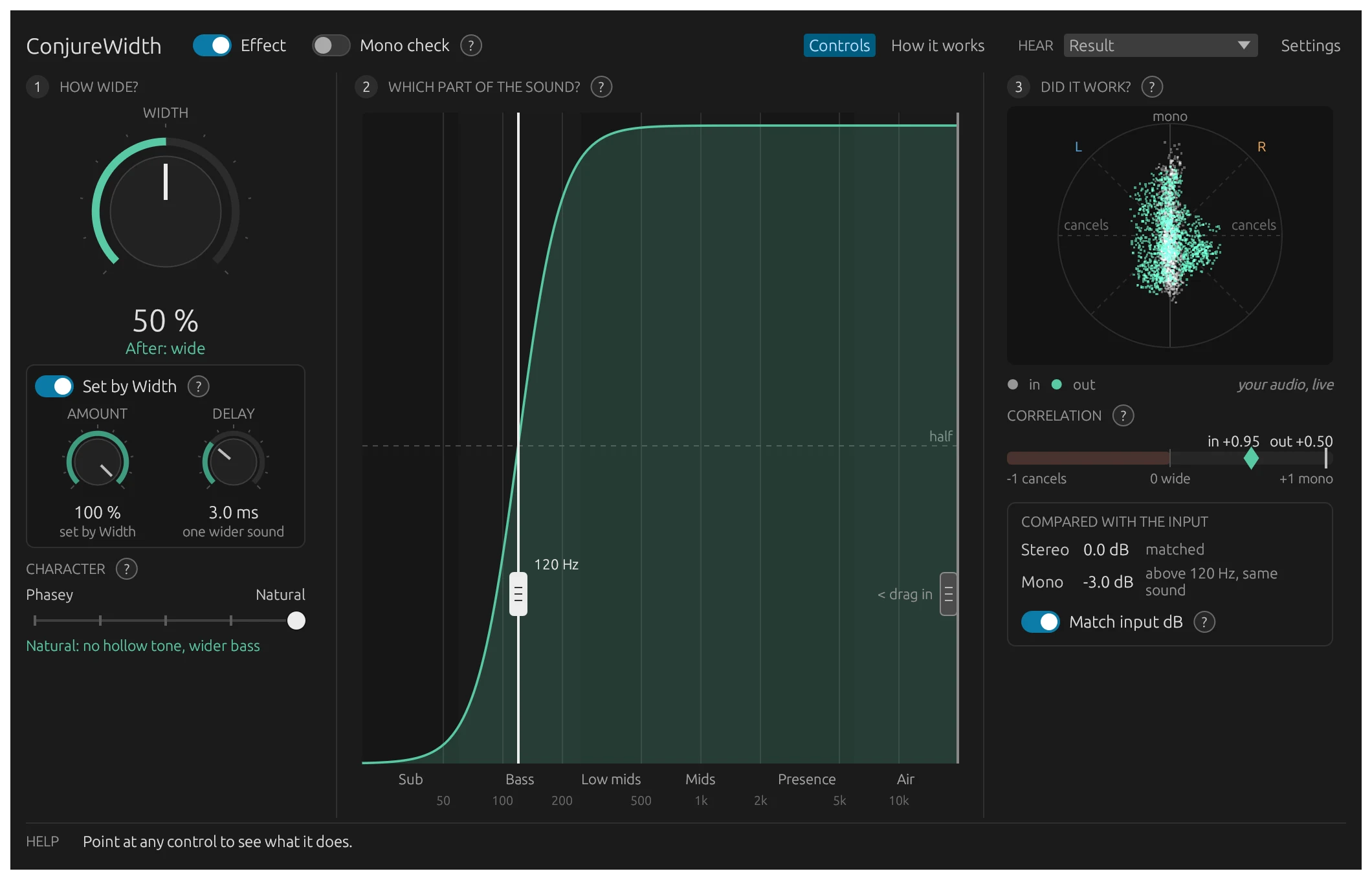
ConjureWidth widens a mix with a slightly late copy of the sound, added on one side and taken away on the other, so the width cancels in mono. Its window shows what it’s doing while you turn it. Free.
macOS 11 or later, Apple silicon and Intel.
Audio Unit and CLAP.
Holds Up in Mono
The copy that makes the width is added to the left and taken away from the right, so it cancels when the mix is summed to mono and your original sound comes back. Mono check lets you hear it for yourself.
See What It’s Doing
The window answers three questions side by side: how wide, which part of the sound, and did it work. A live stereo picture, a correlation meter and stereo and mono levels compared with the input show the result on your own audio.
Keep the Bass Centered
Drag the handles on the graph to keep the low end in the middle and leave the highs alone. Edges can be Gentle, Firm or Strict.
Choose the Character
Character changes how the width sounds, not how much there is. Phasey keeps the plain, slightly hollow sound of a delayed copy. Natural spreads the copy’s timing so the hollow tone goes away and the bass spreads wider.
Level-Matched
Match input dB, on by default, keeps the stereo level equal to the input, so a wider setting never wins just by being louder. Mono then plays up to 3 dB quieter where it widens; turn it off to keep mono at the input’s level instead.
Hear Each Part
Listen to the result, only what’s added, the center, the edges, or only what changes in mono. A red bar shows whenever you aren’t hearing the result.
How it works
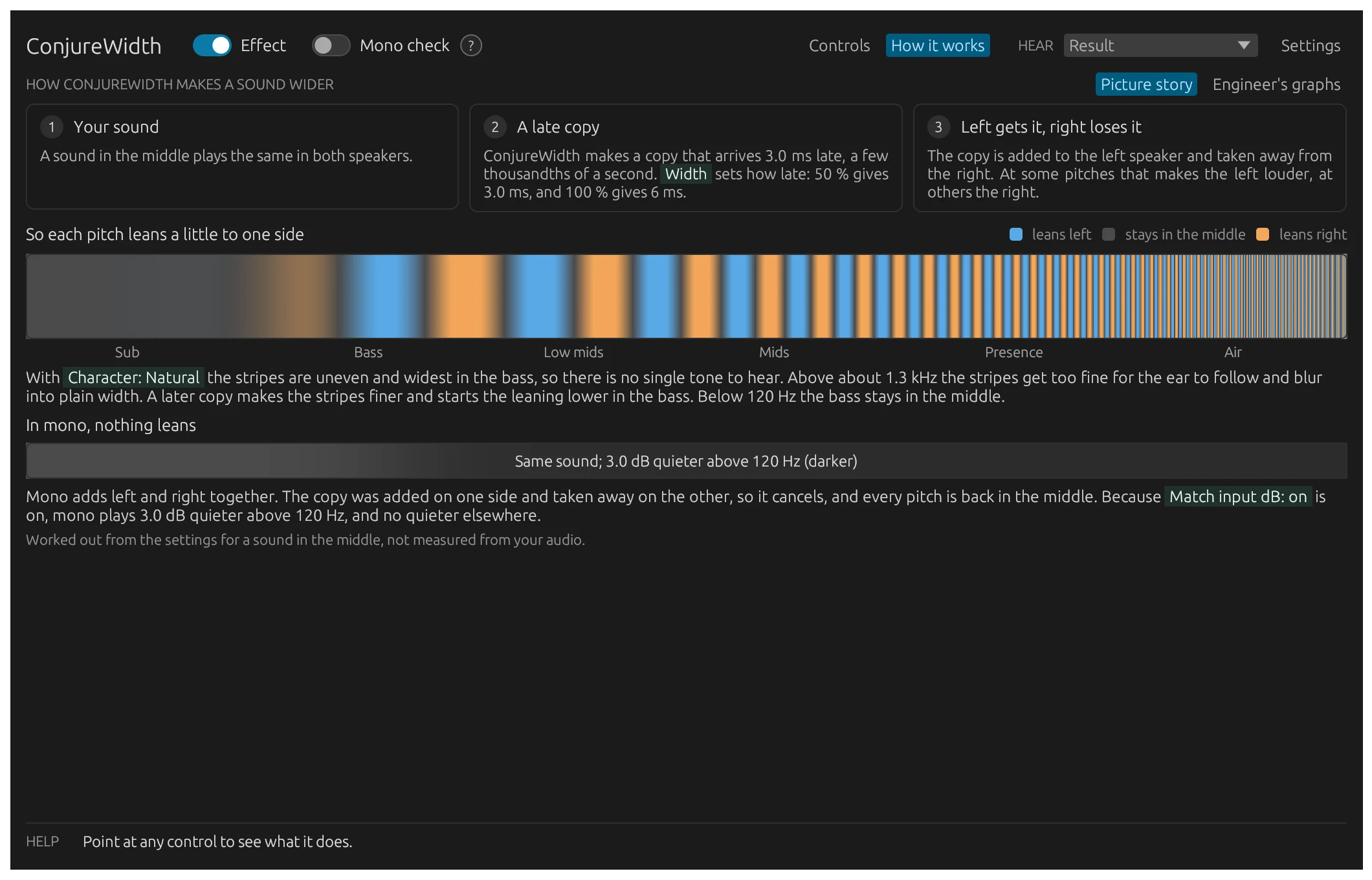
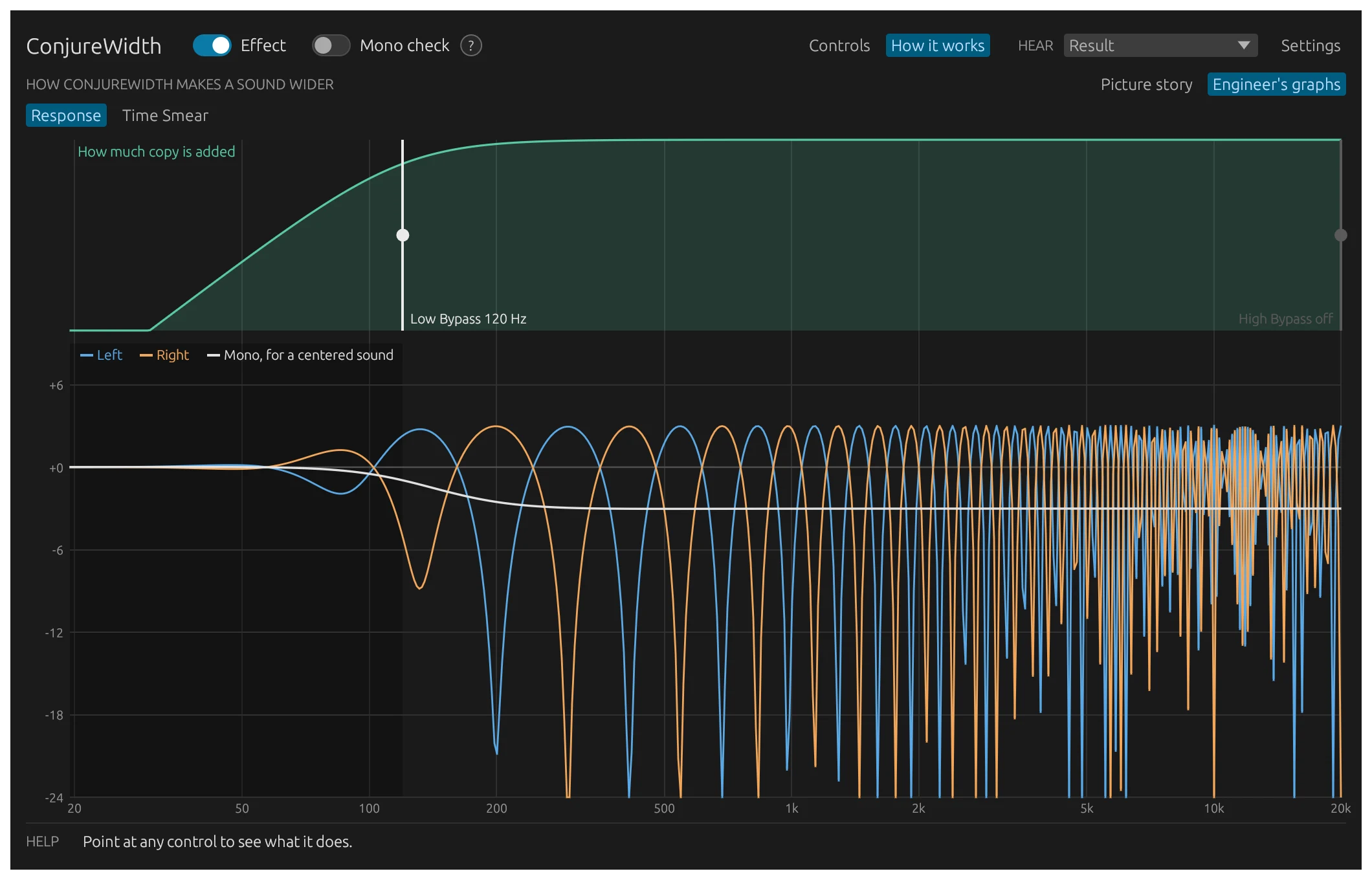
ConjureWidth makes a copy of the sound that arrives a few thousandths of a second late. The copy is added to the left speaker and taken away from the right, so at some pitches the left is louder and at others the right, which you hear as width. Add left and right together for mono and the copy cancels. The plugin explains this in pictures, with the engineer’s graphs one click away, and every (?) explains its own setting.
How to use it
- 1
Insert ConjureWidth on a stereo track or bus.
- 2
Turn up Width until the sound is as wide as you want.
- 3
Drag the left handle on the graph to keep the bass in the middle, and the right one to leave the highs alone.
- 4
Watch the stereo picture and the correlation meter, and press Mono check to hear the mono version.
Free to download
The installer puts the Audio Unit and the CLAP plugin in place for every user on your Mac, and adds an uninstaller to Applications → ConjureDSP.
Download