ConjureHarmonizer
Every key you hold sings in your voice
Sing into ConjureHarmonizer and play chords on a MIDI keyboard. Each key you hold becomes a copy of your own voice singing that note, so one voice becomes a chord. Free.
macOS 13 or later, Apple silicon and Intel.
Audio Unit, VST3, and AAX for Pro Tools.
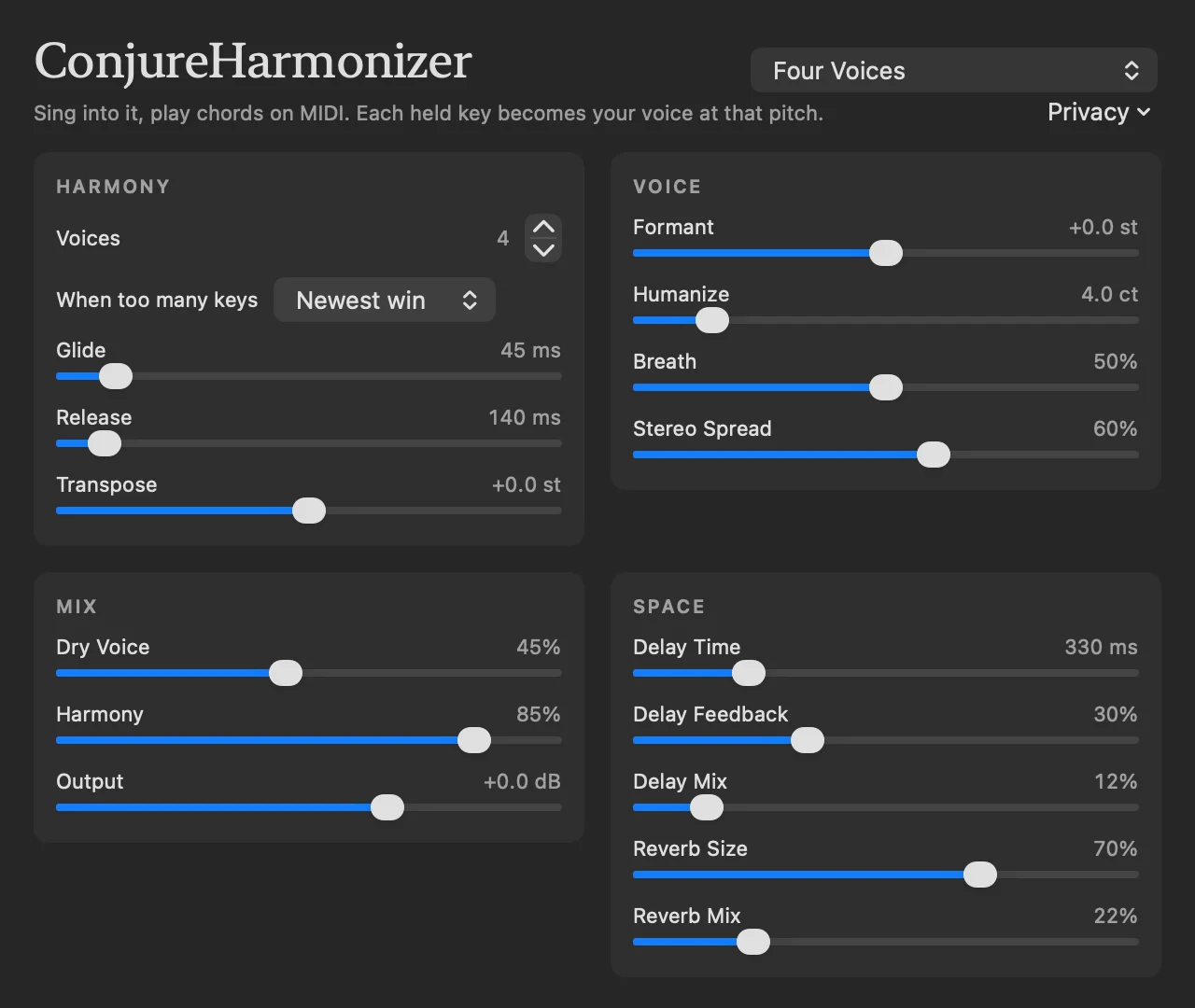
Sounds Like You
Every harmony voice is a copy of your own voice. The vowel stays yours, and each note lands exactly on its key.
You Choose Which Keys Sing
It sings four voices by default. When you hold more keys than that, the When too many keys menu (Voice Choice in the VST3 and AAX) picks which ones sing: the newest, highest, lowest or first. Glide sets how long a voice takes to slide to its next note.
Bigger or Smaller Voice
Formant makes the harmony sound bigger or smaller while its notes stay the same.
Tuned the Same Every Take
Humanize gives each key a small tuning offset that depends only on which key it is, so a chord is tuned the same way on every take and every bounce. The two notes of an octave are always tuned to opposite sides, so the upper one doesn’t drop out.
Breaths Come Through
Consonants and breaths have no pitch to follow, so they go straight through to the harmony instead of being lost.
Mix, Delay and Reverb
Keep your own voice under the harmony or leave it out, then add a ping-pong delay and reverb. Six factory presets get you started: Four Voices (the default), Four Voices (Harmony Only), Top Notes Win, Glass Choir, Low Robot and Dry Hardware.
How it works
ConjureHarmonizer measures how long each vibration of your voice lasts and marks where each one starts. Each harmony voice then copies your voice one vibration at a time and lays the copies down at the spacing of its key. The copies themselves aren’t stretched, so the vowel stays yours while the pitch becomes exactly the key’s.
The harmony comes in about two vibrations after your voice: around 5 to 10 milliseconds for a high voice, and up to about 35 for a very low one. Eight voices use about 2 to 3 percent of one processor core.
Set it up in your DAW
Your voice comes from one track and the chords from another. Hold the chords while you sing; when you let go, the harmony fades out.
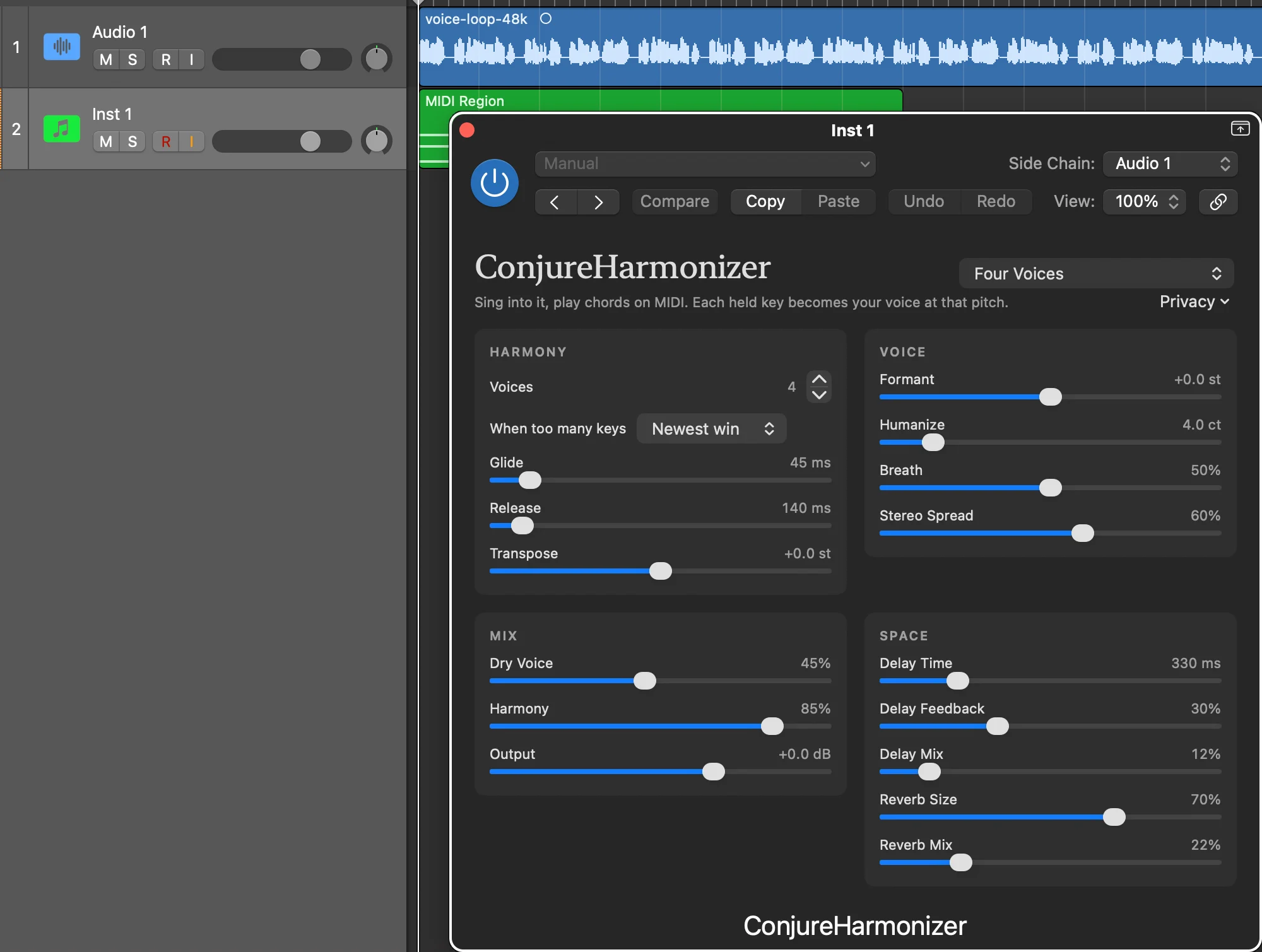
Logic Pro
Audio Unit
- 1
Open ConjureHarmonizer from Applications once. That registers the plugin; Logic won’t list it until you do.
- 2
Make a Software Instrument track. In its Instrument slot, choose AU MIDI-controlled Effects → ConjureDSP → ConjureHarmonizer.
- 3
In the top bar of the plugin window, set Side Chain to the audio track or input that carries your voice.
- 4
Record-enable the instrument track, sing, and play chords.
Tested in Logic Pro 12.3.1. Your voice track still plays on its own, so the Four Voices (Harmony Only) preset keeps you from hearing your voice twice. If Logic doesn’t list it, open Logic’s Plug-in Manager and run Reset & Rescan Selection.
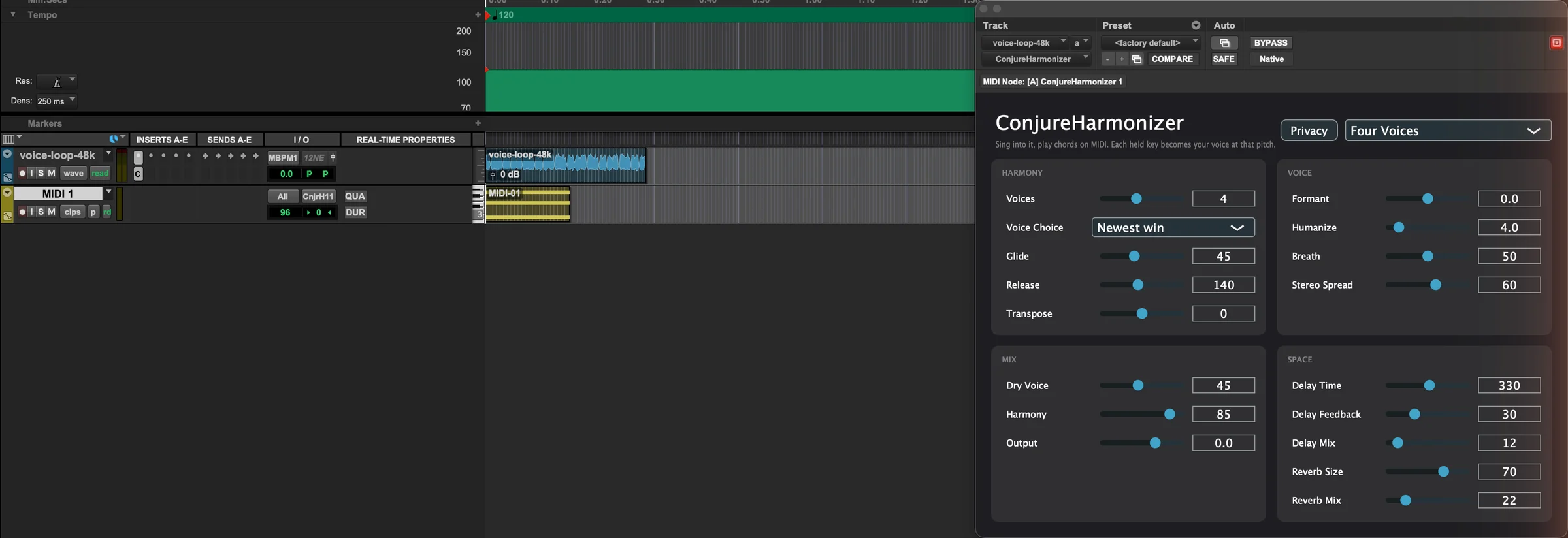
Pro Tools
AAX
- 1
Insert ConjureHarmonizer on the vocal track.
- 2
Make a MIDI or Instrument track and set its output to ConjureHarmonizer.
- 3
Chords on that track become the harmony. No side chain is needed, because your voice comes in on the insert itself.
Tested in Pro Tools Studio 2026.4.1, running both natively on Apple silicon and under Rosetta.
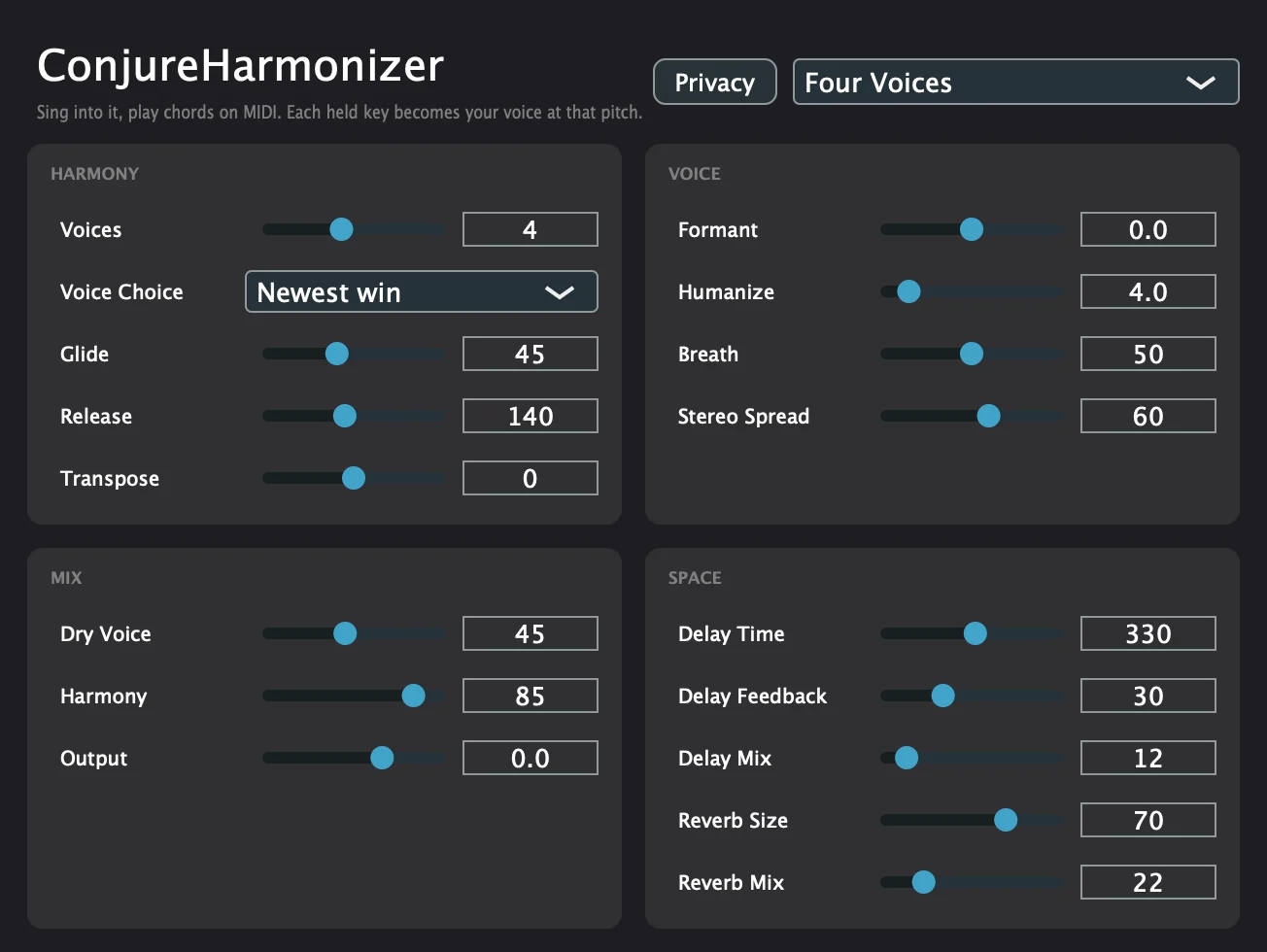
Ableton Live, REAPER and other VST3 hosts
VST3
- 1
Rescan plugins in your DAW after installing.
- 2
Put ConjureHarmonizer on the vocal track.
- 3
Send it MIDI from another track, and play chords there.
Tested in Ableton Live 11.3.43 and REAPER 7.79.
No DAW handy? Open ConjureHarmonizer from Applications, click Test with microphone, then click the chord buttons or the on-screen keys. Use headphones, or the speakers will feed back into the microphone.
It asks first
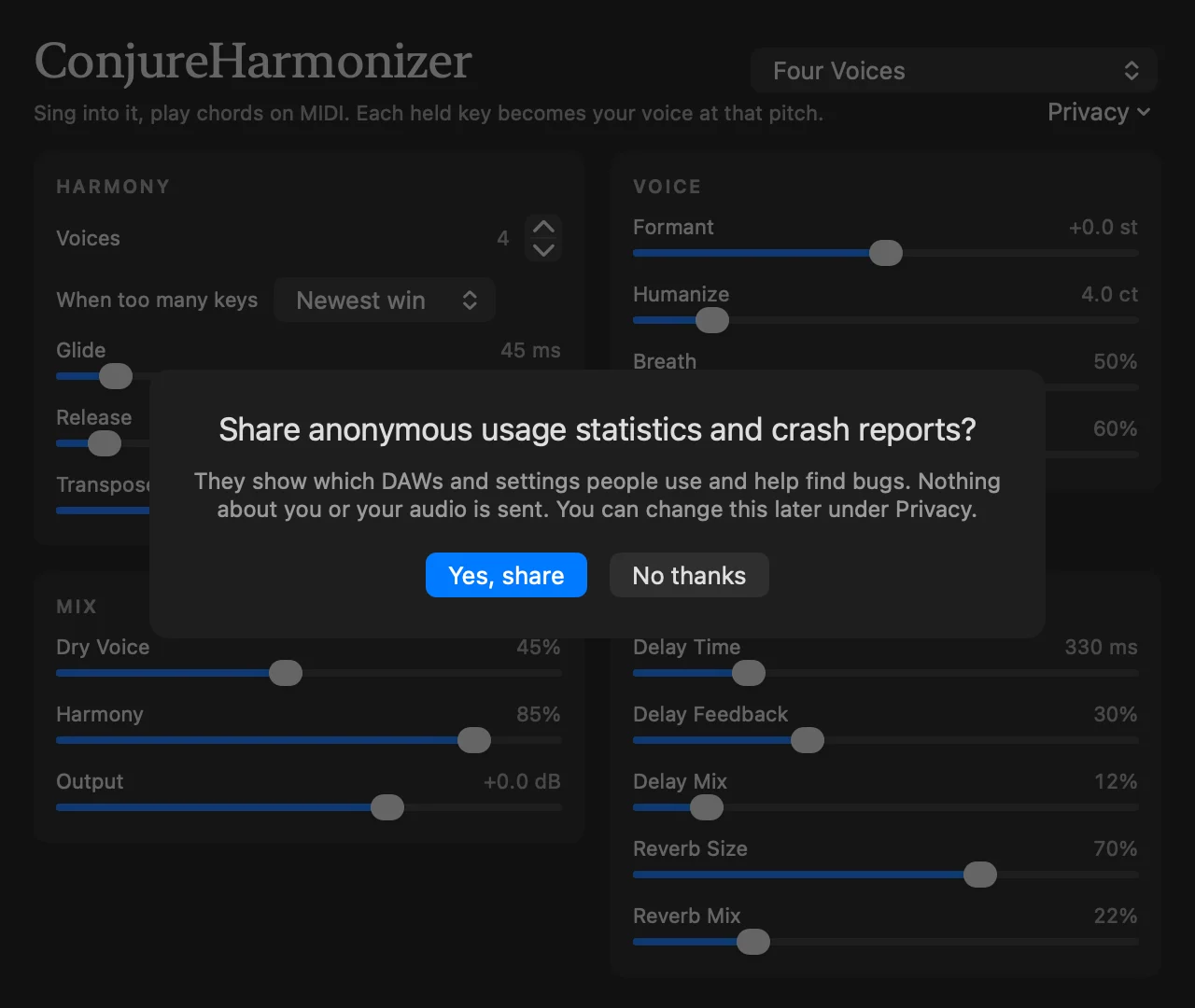
The first time you open the plugin window, ConjureHarmonizer asks whether to share anonymous usage statistics and crash reports. Nothing is sent unless you say yes, and the Privacy button in the window changes your answer at any time.
It never sends your audio, the notes you play, or track and project names. The privacy policy lists what is sent.
Free to download
One disk image holds the Audio Unit, the VST3 and the AAX for Pro Tools, built for Apple silicon and Intel, signed and checked by Apple. A Read Me inside gives the install steps.
Download